Installation
Prerequisites
Before starting this tutorial, you'll need:
- Python 3.8 or higher
- An Imandra Universe API key (free tier available at universe.imandra.ai)
Install the package and set your API key:
pip install codelogician
export IMANDRA_UNIVERSE_KEY="your-api-key-here"
codelogician --help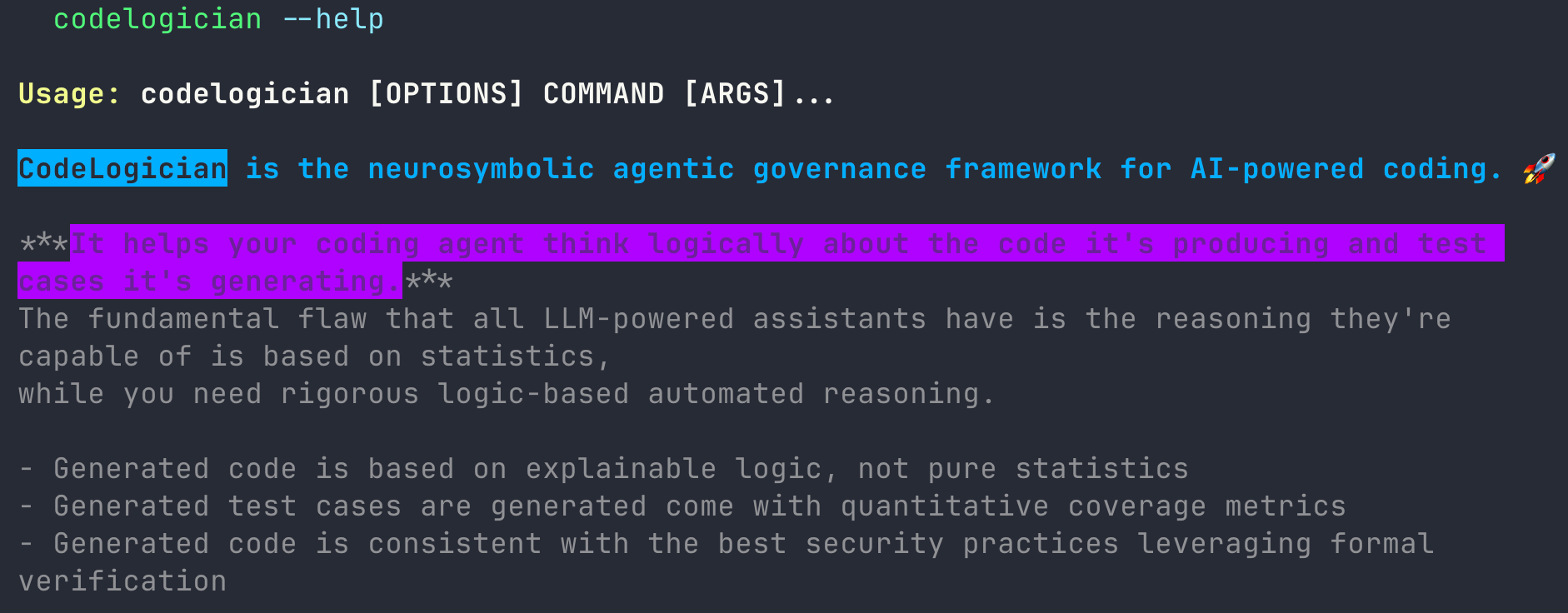
Overview
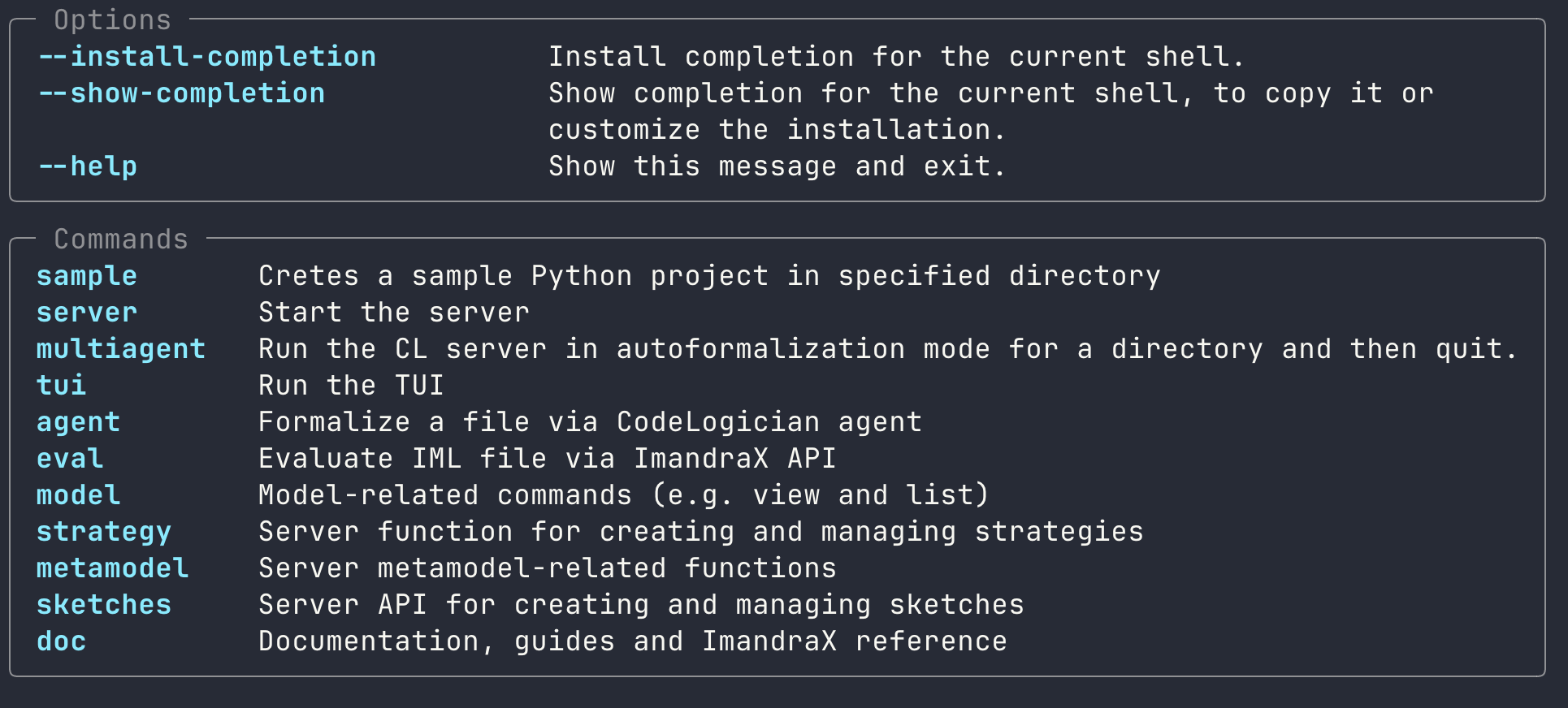
Here we'll focus on the codelogician doc sub-command, which includes comprehensive documentation, guides, and reference materials for ImandraX / IML. It's designed for use by both humans and LLMs in terminal environments (Claude Code, Codex, Gemini CLI, etc.).
CodeLogician has MCP implementation but CodeLogician CLI is best suited for CLI coding assistants because it enables a rapid feedback loop using CLI commands and provides flexible file system integration. For example, Claude Code can dump ImandraX API reference to markdown files easily using codelogician doc dump and then use grep or any other shell utils to search it based on task.
Documentation encompasses general introductory guides about ImandraX and IML, detailed API reference, and practical application examples. It also has content that is tailored for LLM usage (codelogician doc prompt)
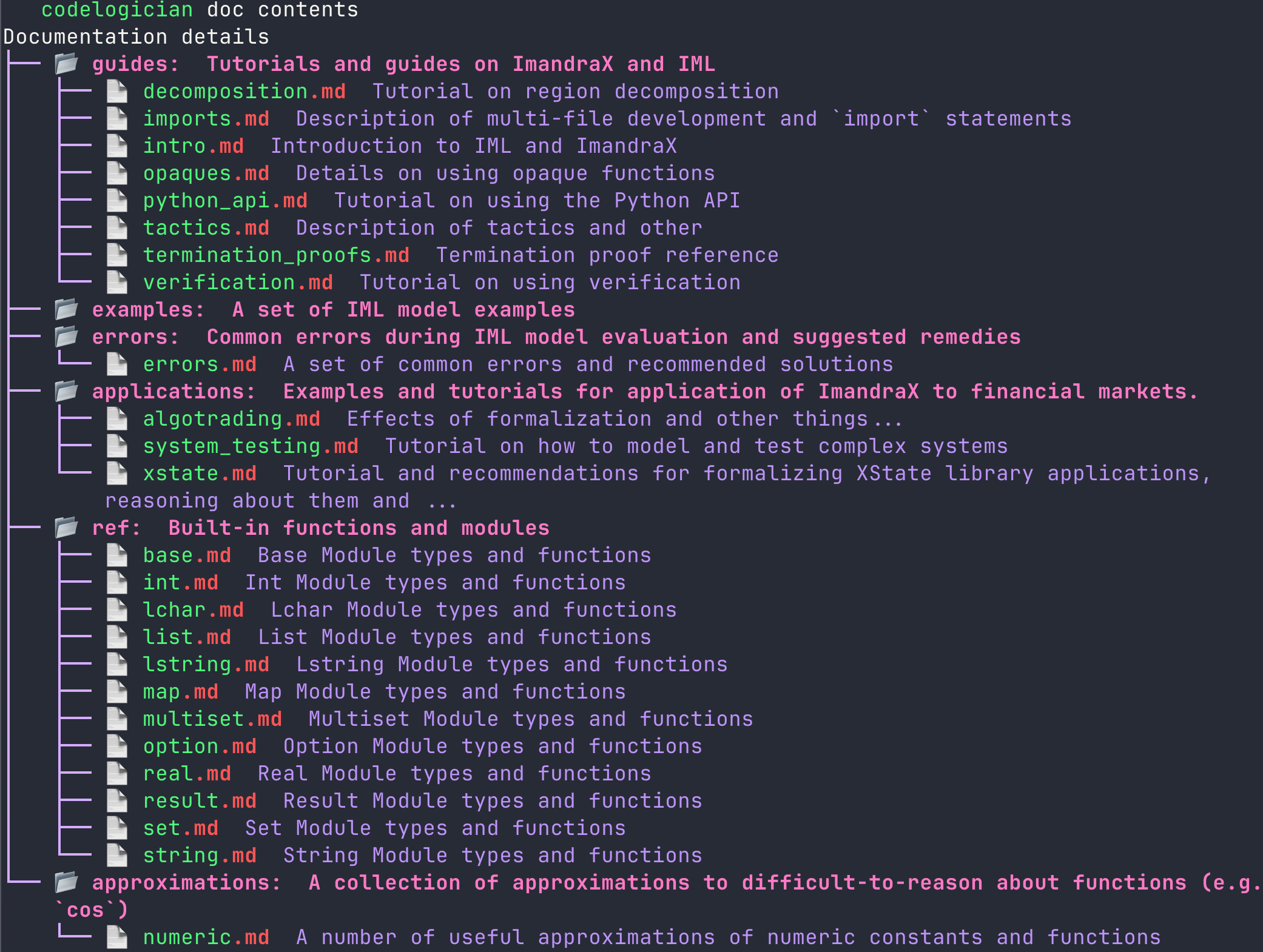
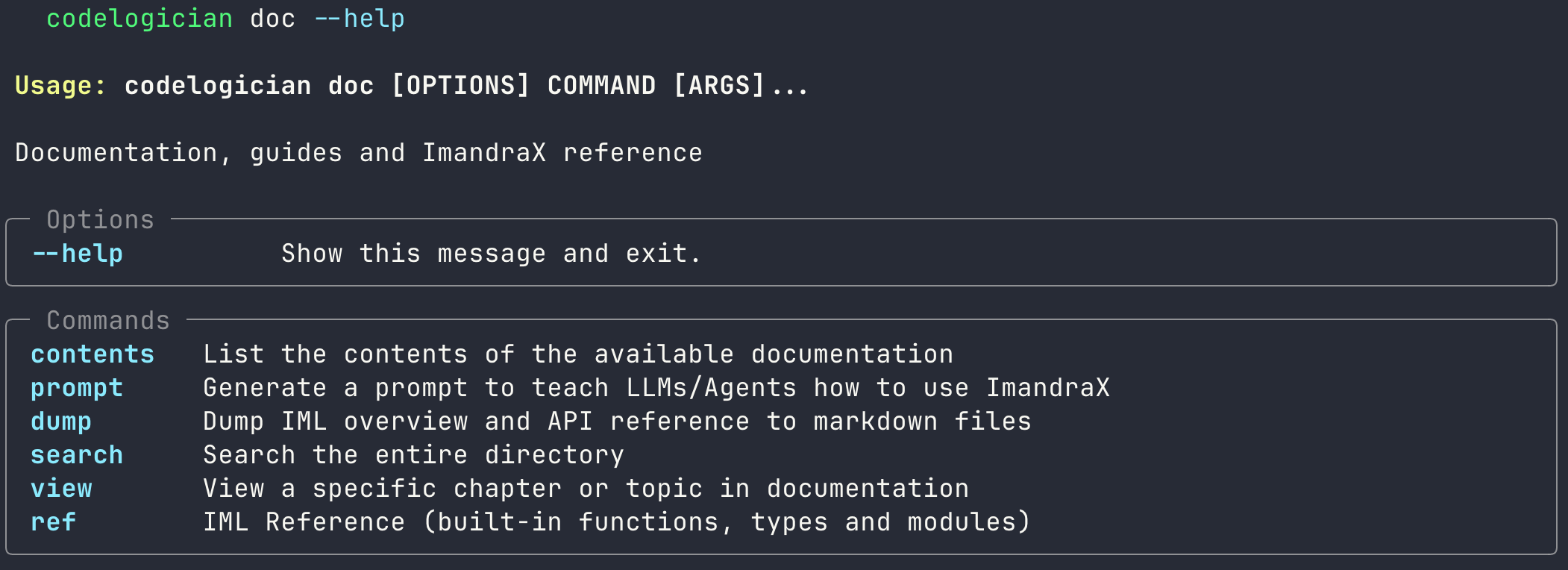
CodeLogician CLI enables a wide range of interaction with the doc, including viewing the API reference directly, using built-in fuzzy search, or dumping full documentations to searchable markdown files.
Example: Traffic Light System
The most straightforward way to integrate CodeLogician CLI with your CLI coding agent is simply inform it about the existence of CodeLogician CLI, by prompting something like "codelogician CLI is available in current shell. Please take a look at it and use codelogician doc command to learn about ImandraX and IML."
Rapid Feedback Loop Workflow
Establish a fast iteration cycle with codelogician eval:
1. Warm-up Phase
- Ask CLI coding agent to learn about IML using
codelogician doccommand - Or create context file:
codelogician doc prompt > AGENTS.md
2. Formalization Loop
- Specify: Define the problem you want to formalize with IML
- Formalize: Agent writes IML code using learned knowledge
- Validate: Agent calls
codelogician eval file.imlto check for syntax errors - Fix: Iterate based on feedback from ImandraX
As an example, we try to build a traffic light control system using Claude Code with the help of CodeLogician.
We start by informing the existence of CodeLogician CLI and ask Claude Code to explore it.
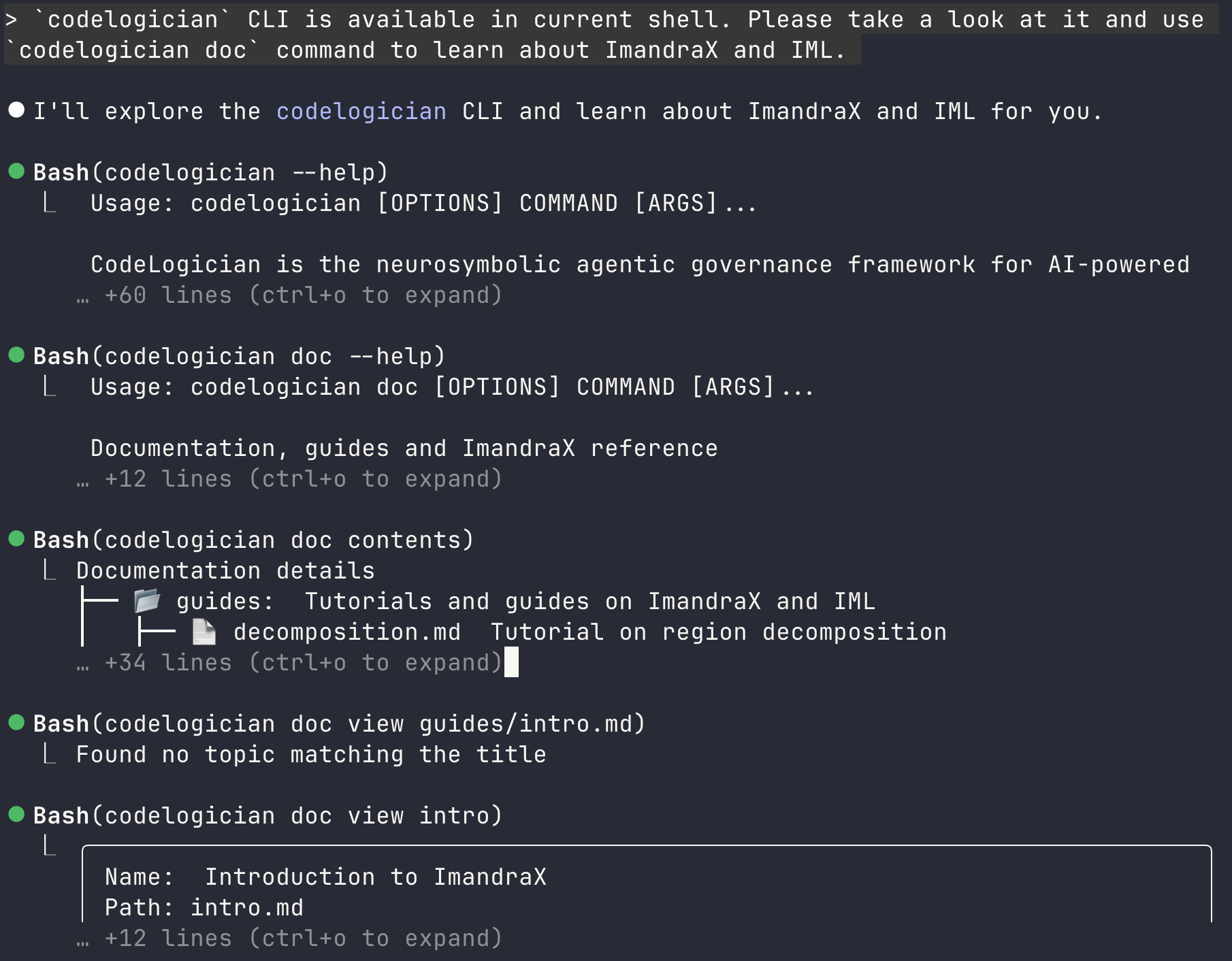
Claude Code (and any other terminal coding agent) will stop once it thinks it has enough confidence with IML. We then specify our task requirement.
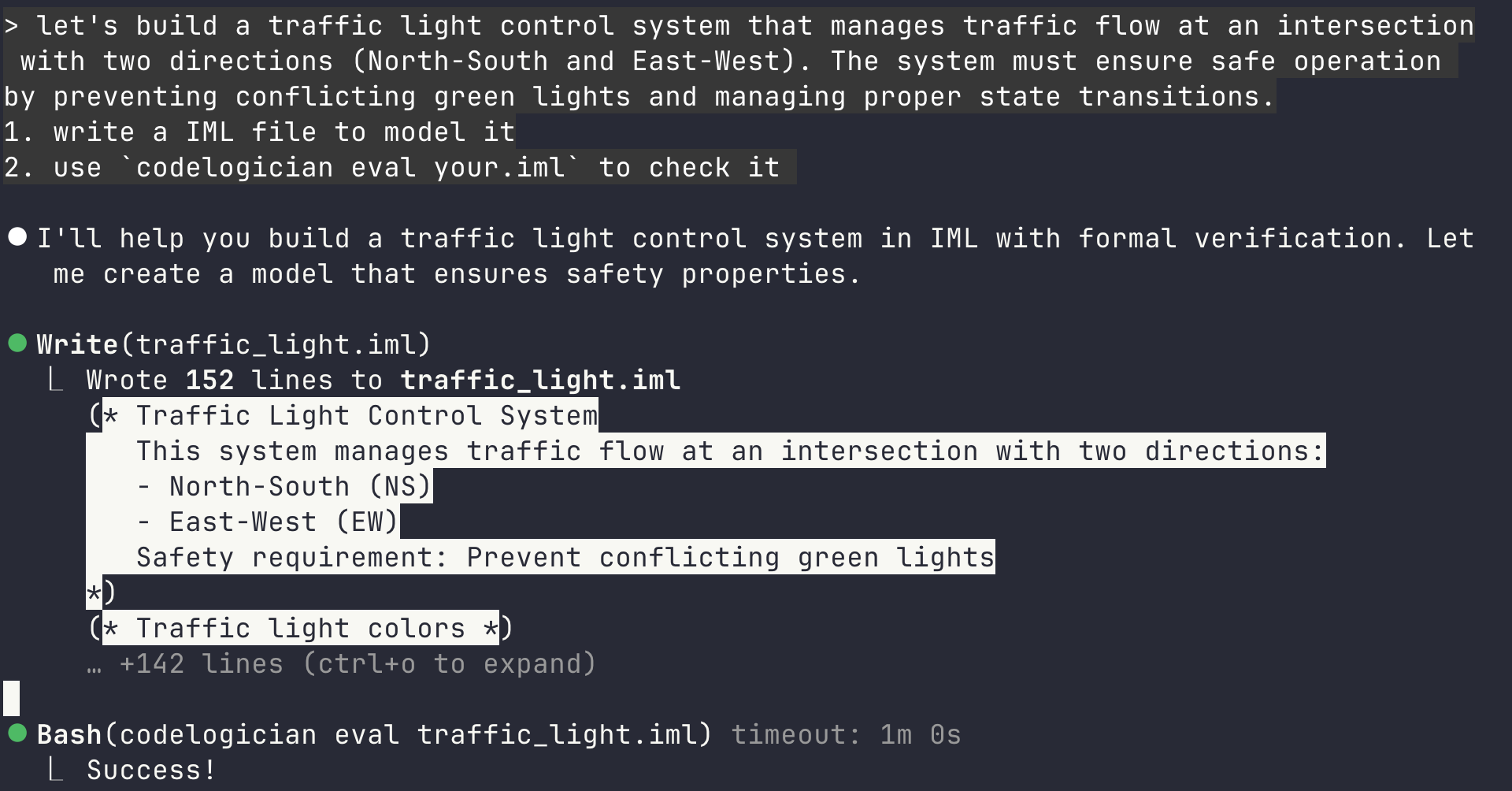
With the help of pre-loaded context about IML, it succeed in writing the IML code in one shot. We can see definition of types and the core state transition functions.
(* Traffic light colors *)
type light_color =
  | Red
  | Yellow
  | Green

(* System state representing both traffic directions *)
type traffic_state = {
  north_south: light_color;
  east_west: light_color;
}

(* Events that trigger state transitions *)
type event =
  | NSTimerExpired  (* North-South direction timer expired *)
  | EWTimerExpired  (* East-West direction timer expired *)

(* Initial state: North-South is green, East-West is red *)
let initial_state : traffic_state = {
  north_south = Green;
  east_west = Red;
}

(* State transition function

   Transition rules:
   - Green -> Yellow -> Red (normal progression)
   - When one direction turns Red from Yellow, the other turns Green
*)
let step (state: traffic_state) (ev: event) : traffic_state =
  match ev with
  | NSTimerExpired ->
    (match state.north_south with
     | Green ->
       (* NS green expires, transition to yellow *)
       { state with north_south = Yellow }
     | Yellow ->
       (* NS yellow expires, transition to red and give green to EW *)
       { north_south = Red; east_west = Green }
     | Red ->
       (* NS already red, no change *)
       state)
  | EWTimerExpired ->
    (match state.east_west with
     | Green ->
       (* EW green expires, transition to yellow *)
       { state with east_west = Yellow }
     | Yellow ->
       (* EW yellow expires, transition to red and give green to NS *)
       { east_west = Red; north_south = Green }
     | Red ->
       (* EW already red, no change *)
       state)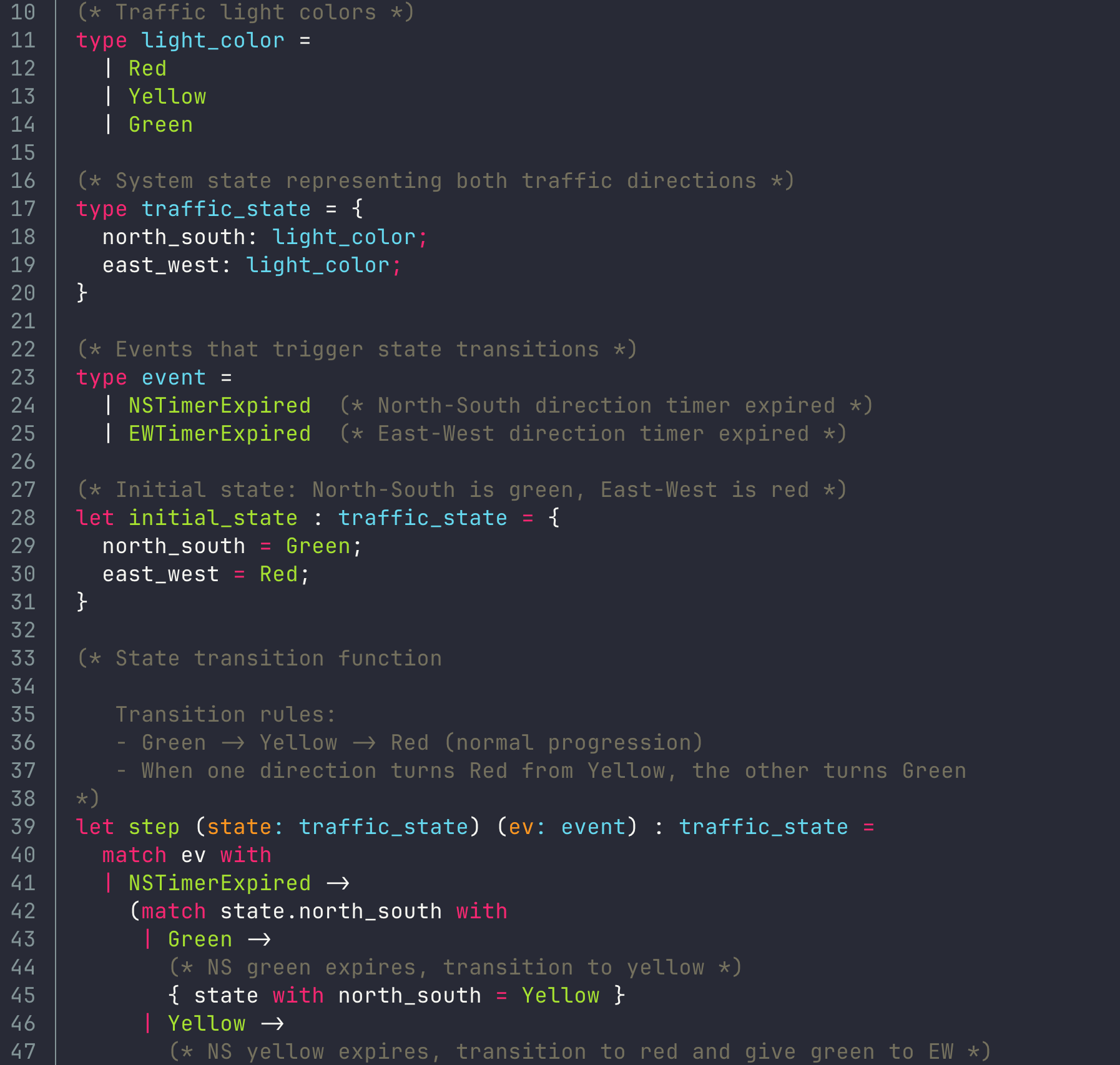
In addition, Claude Code outputs some safety properties as functions without asking. is_safe captures the fact that we don't want traffic collision due to the same direction being green stimultaneously.
(* Safety property: No conflicting green lights

   Critical safety invariant - both directions cannot be green simultaneously
*)
let is_safe (state: traffic_state) : bool =
  not (state.north_south = Green && state.east_west = Green)

(* Safety invariant: System maintains safety after any single transition

   This verifies that from any safe state, applying any event
   results in another safe state
*)
let safety_preserved (state: traffic_state) (ev: event) : bool =
  if is_safe state then
    is_safe (step state ev)
  else
    true

...

(* Property: Both directions cannot be yellow simultaneously

   In a well-designed system, yellows should not overlap
*)
let no_double_yellow (state: traffic_state) : bool =
  not (state.north_south = Yellow && state.east_west = Yellow)
We can easily harness the theorem-proving features of ImandraX using verify statement in VSCode (CodeLogician CLI will be able to do this without the help of IDE in near future).
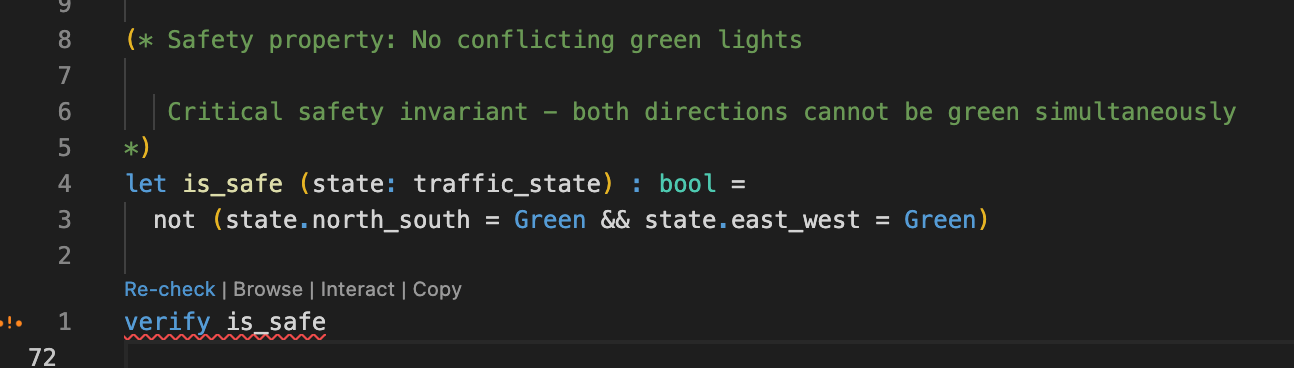
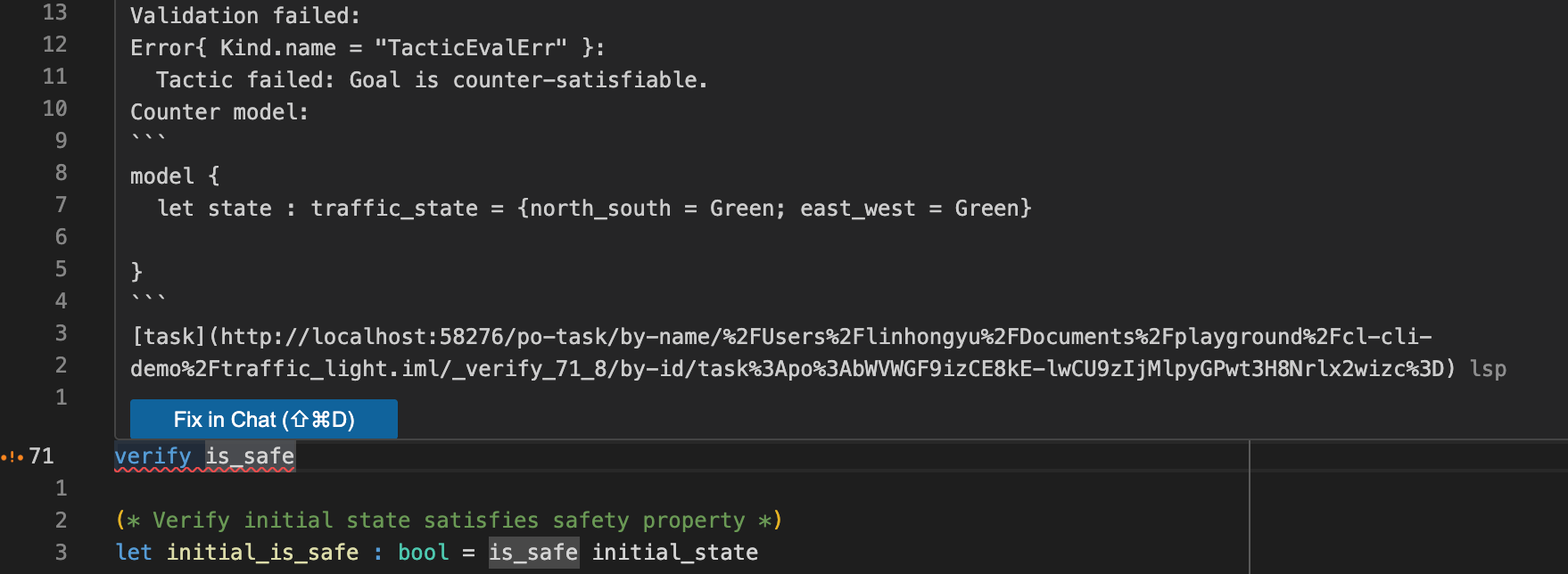
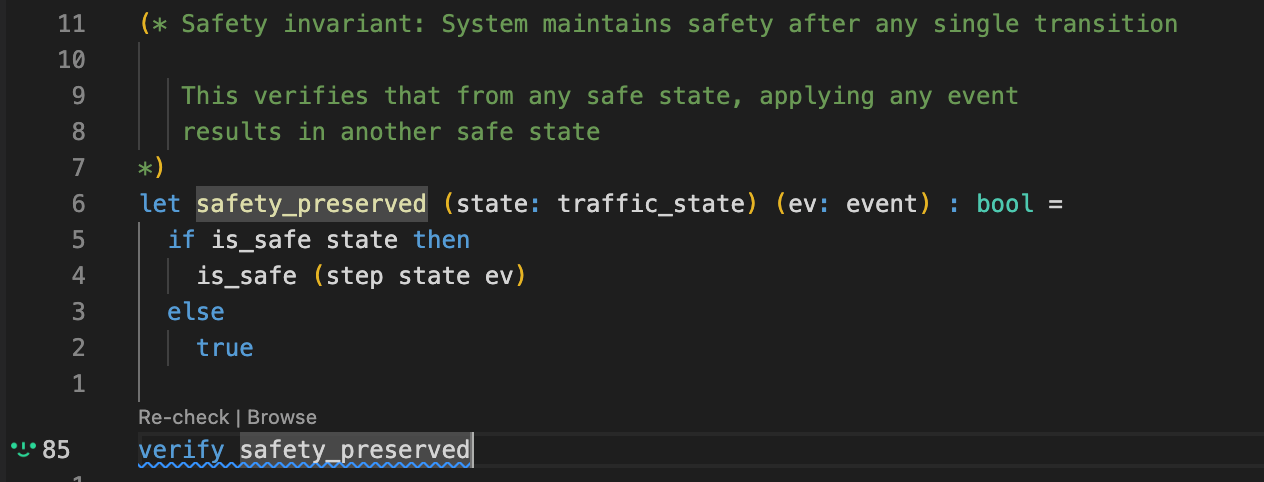
For the naive is_safe property, ImandraX refutes it with an counter-example where both directions start with green light. For safety_preserved property, ImandraX proved it. Therefore, we can confidently conclude that if we start from a safe state, our traffic light system will not experience collision accidents.
Verification Results
Key Findings:
- ❌
is_safeproperty: REFUTED - ImandraX found a counterexample where both directions start green - ✅
safety_preservedproperty: PROVED - System maintains safety from any safe state - 💡 Conclusion: If we start from a safe state, no collision accidents will occur
Further more, we can add a more subtle requirement forbid both lights to be yellow at the same time. A real-world rationale for this might be the consideration that in high-speed intersections, two aggressive drivers might run into a collision if they both choose to speed up to proceed when seeing yellow light.
(* Property: Both directions cannot be yellow simultaneously

   In a well-designed system, yellows should not overlap
*)
let no_double_yellow (state: traffic_state) : bool =
  not (state.north_south = Yellow && state.east_west = Yellow)

(* Check that our transition function maintains this property *)
let no_double_yellow_preserved (state: traffic_state) (ev: event) : bool =
  if no_double_yellow state then
    no_double_yellow (step state ev)
  else
    true
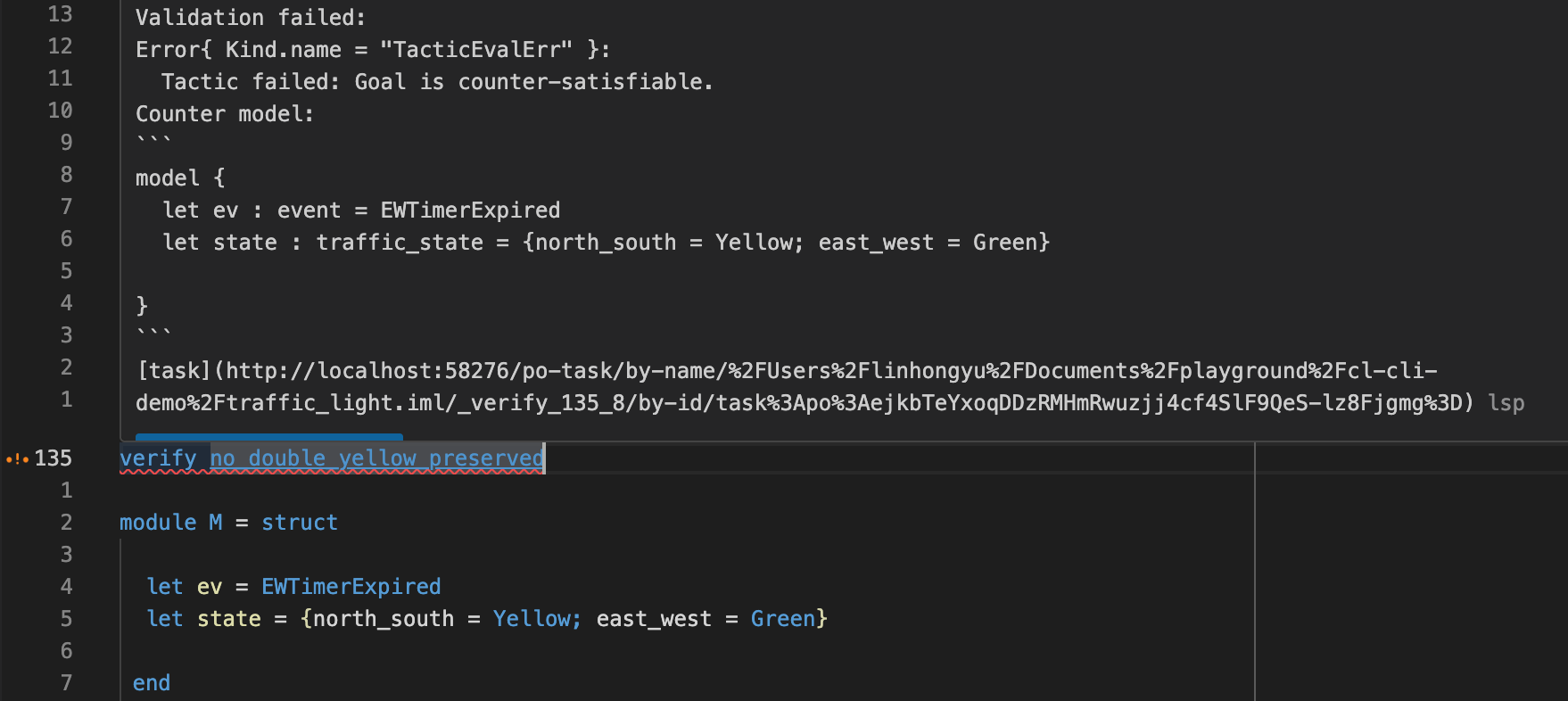
This property is refuted by ImandraX with an counter-example as we didn't consider this in the step function.
Bug Discovered
Finding: The no_double_yellow_preserved property was REFUTED by ImandraX
Root Cause: Our original step function didn't consider the requirement that both lights should never be yellow simultaneously.
Real-World Impact: In high-speed intersections, aggressive drivers might accelerate through yellow lights from both directions, causing collisions.
Let's ask Claude Code to fix it.
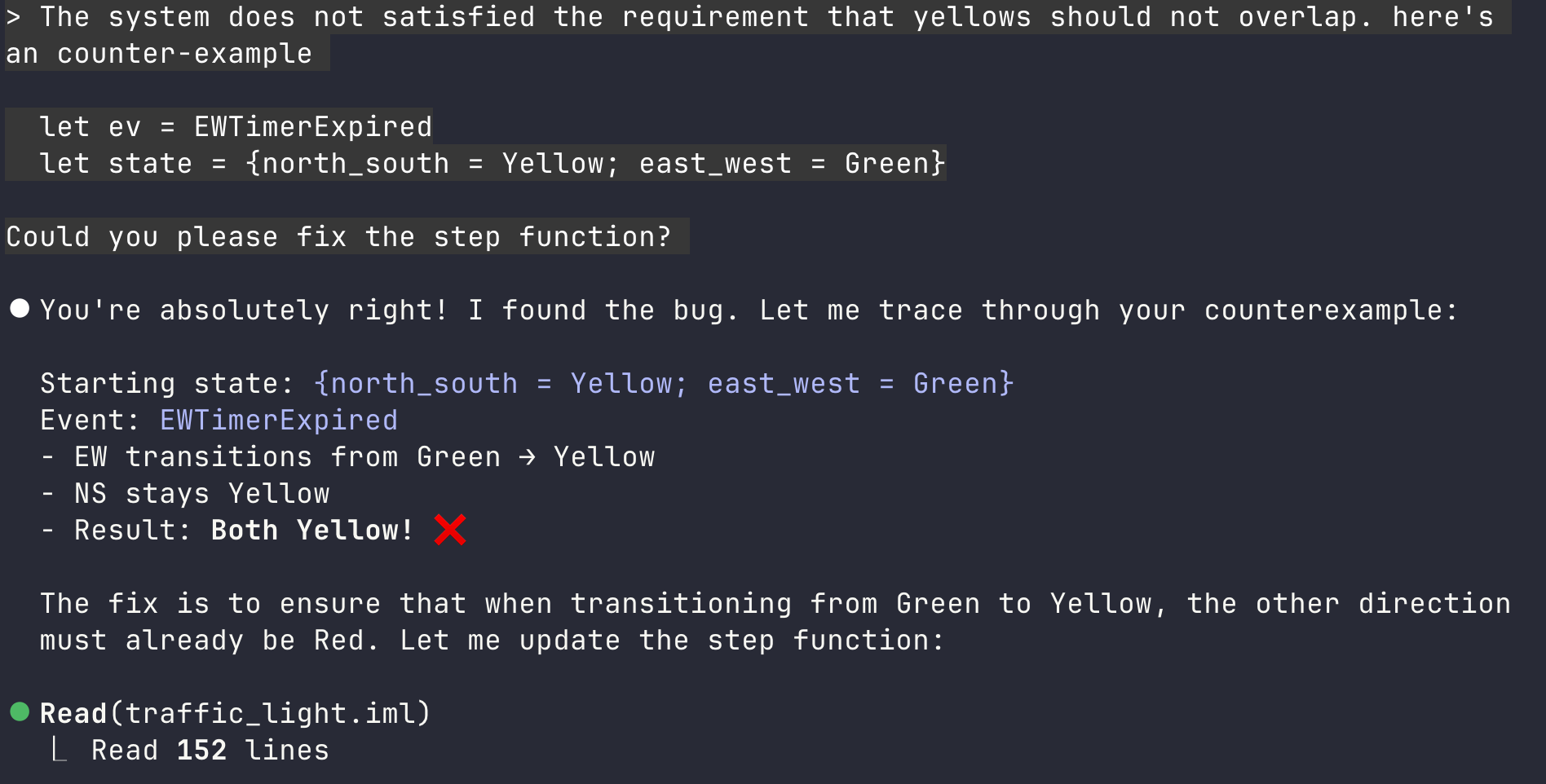
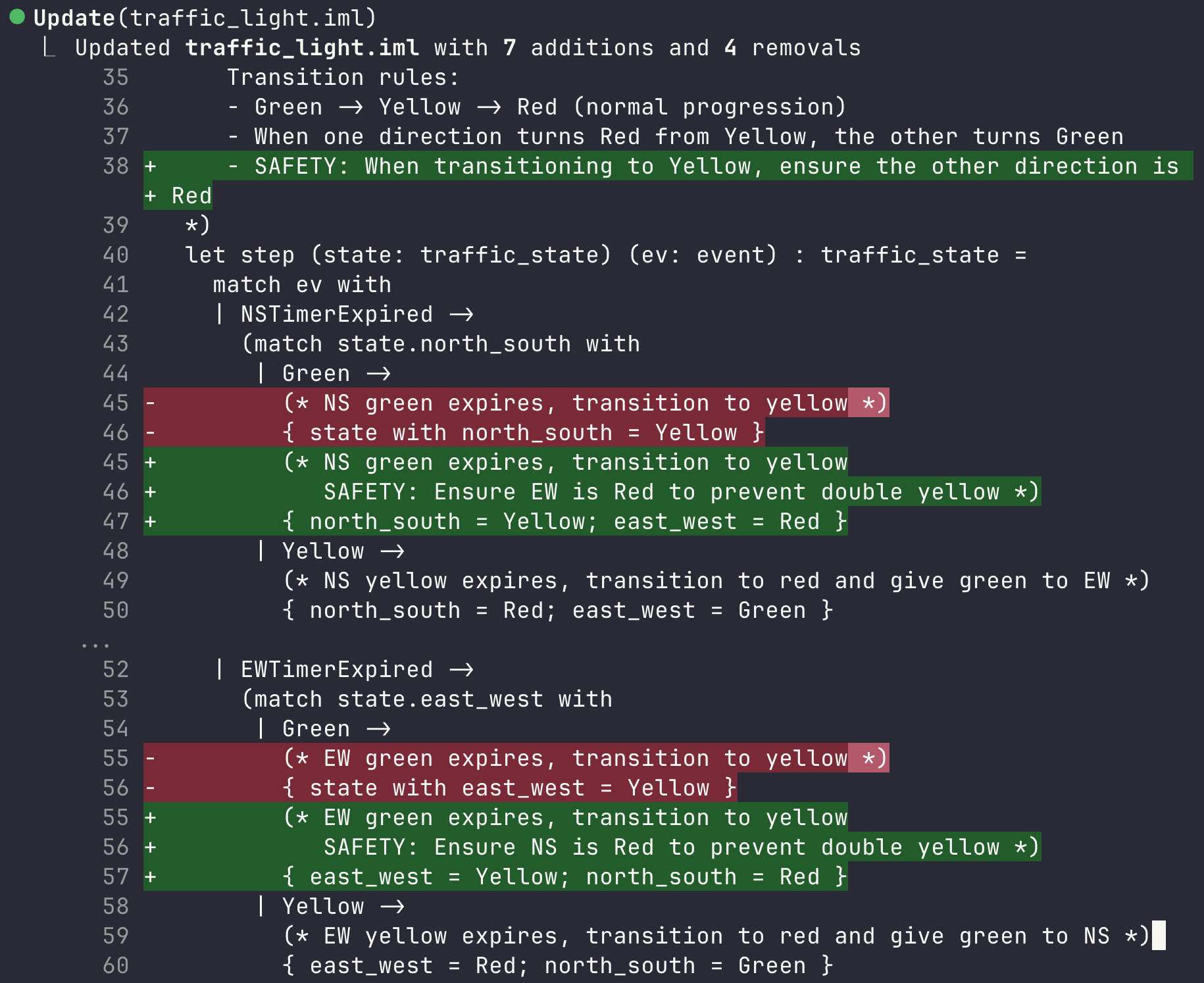
Now we get a new version of traffic light system that is more defensive.
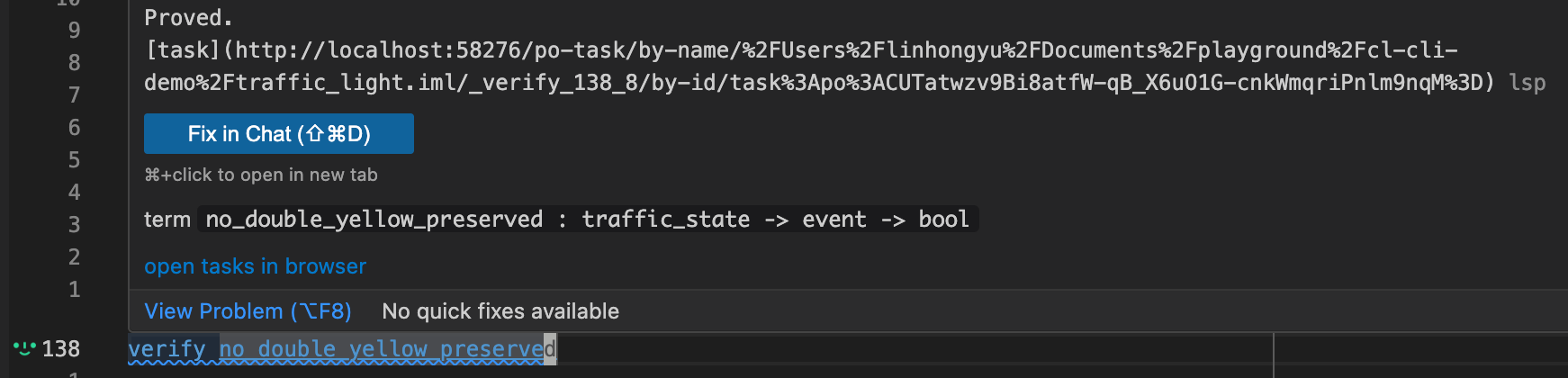
In the above example, we start from natural language specifications and obtain formally verified IML code in the end. CodeLogician helps us refine our ambiguous spec to concrete logical properties that can be proved or disproved. You can equivalently start from an existing project written in some language (e.g. Python) and utilize CodeLogician to generate a digital twin in IML that can be formally verified.
What You've Learned
In this tutorial, you learned how to:
- Install and configure the CodeLogician CLI
- Use
codelogician docto access comprehensive IML/ImandraX documentation - Establish a rapid feedback loop with CLI coding agents
- Formalize a traffic light system from natural language specifications
- Use ImandraX to verify safety properties and discover bugs
- Iterate on designs based on formal verification feedback
Key Takeaway: CodeLogician bridges the gap between ambiguous specifications and formally verified code, catching subtle bugs that traditional testing would miss.
Next Steps:
- Try the TUI Tutorial for a visual interface
- Explore Case Studies for real-world applications
- Check out the Python API for programmatic access